
Title
HC-05 Bluetooth Serial Module
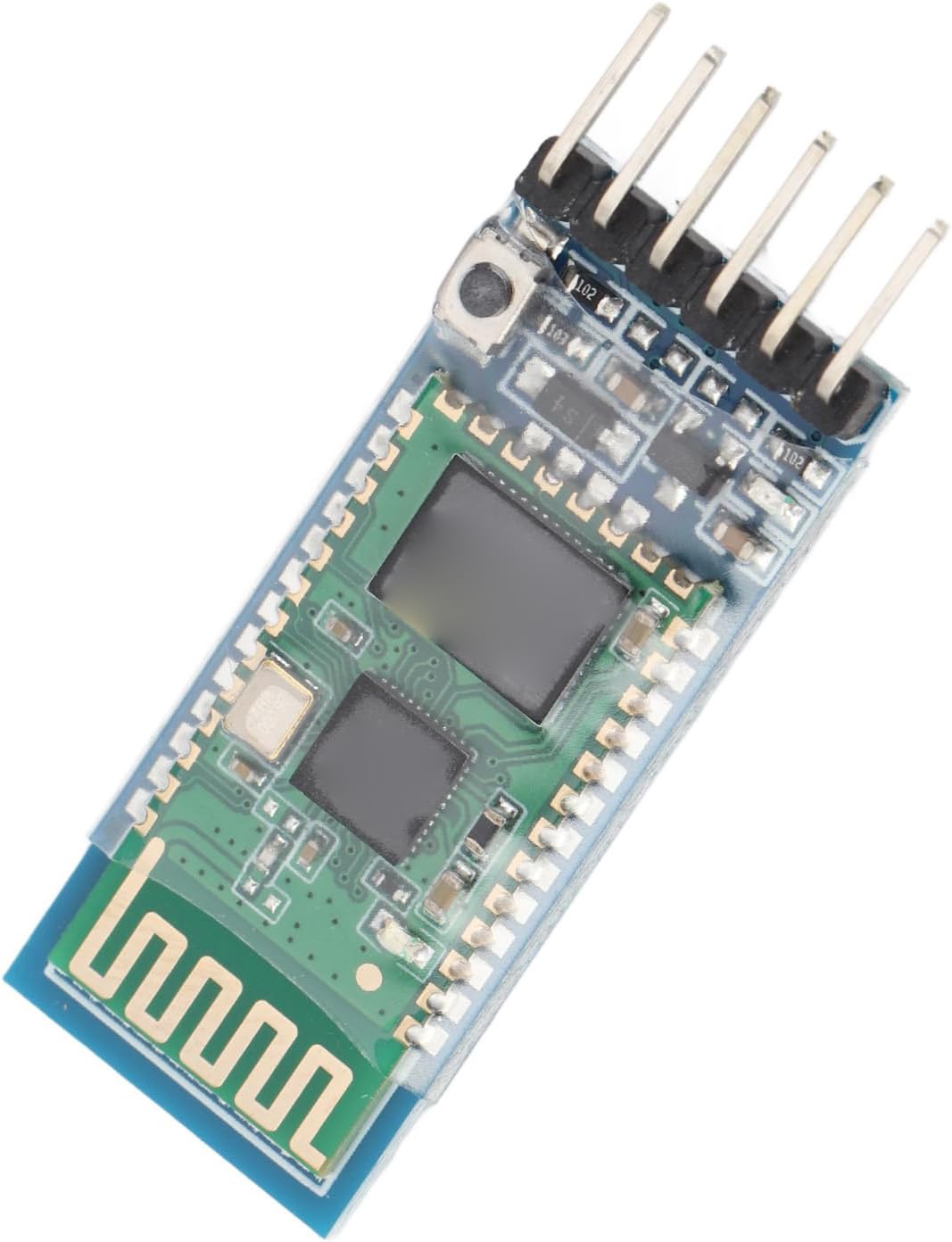
What It Is
The HC-05 is a Bluetooth serial module that acts like a wireless bridge for UART communication.
What It Does In This Project
- gives the course project optional wireless control
- lets the Android app communicate with the firmware
- reuses the same command system as wired serial
What Bluetooth Is
Bluetooth is a short-range wireless communication system designed to let devices exchange data without a cable.
In this project, it makes the firmware feel like it has a wireless serial cable connected to it.
Origins And Background
Bluetooth was created in the 1990s as a cable-replacement technology. One major goal was to remove short messy cables between nearby devices like phones, headsets, keyboards, and computers.
The name Bluetooth comes from Harald Bluetooth, a Danish king who was famous for uniting groups of people. The technology name was chosen as a symbol of uniting different devices with one standard.
The HC-05 became a hobby classic because it made short-range wireless serial communication cheap and easy. For many students, it is their first experience of turning a wired UART link into a wireless one.
Frequency Band
Bluetooth operates in the 2.4 GHz ISM band.
That is an unlicensed industrial, scientific, and medical radio band used by many technologies, including Wi-Fi, Bluetooth, and some cordless devices.
This is a good chance to explain that wireless systems do not just send “invisible magic.” They use real radio frequencies in shared bands.
How It Communicates
- talks to the MCU using
UART - talks over the air using Bluetooth Classic serial profile behaviour
- often uses AT commands for configuration
Pinout
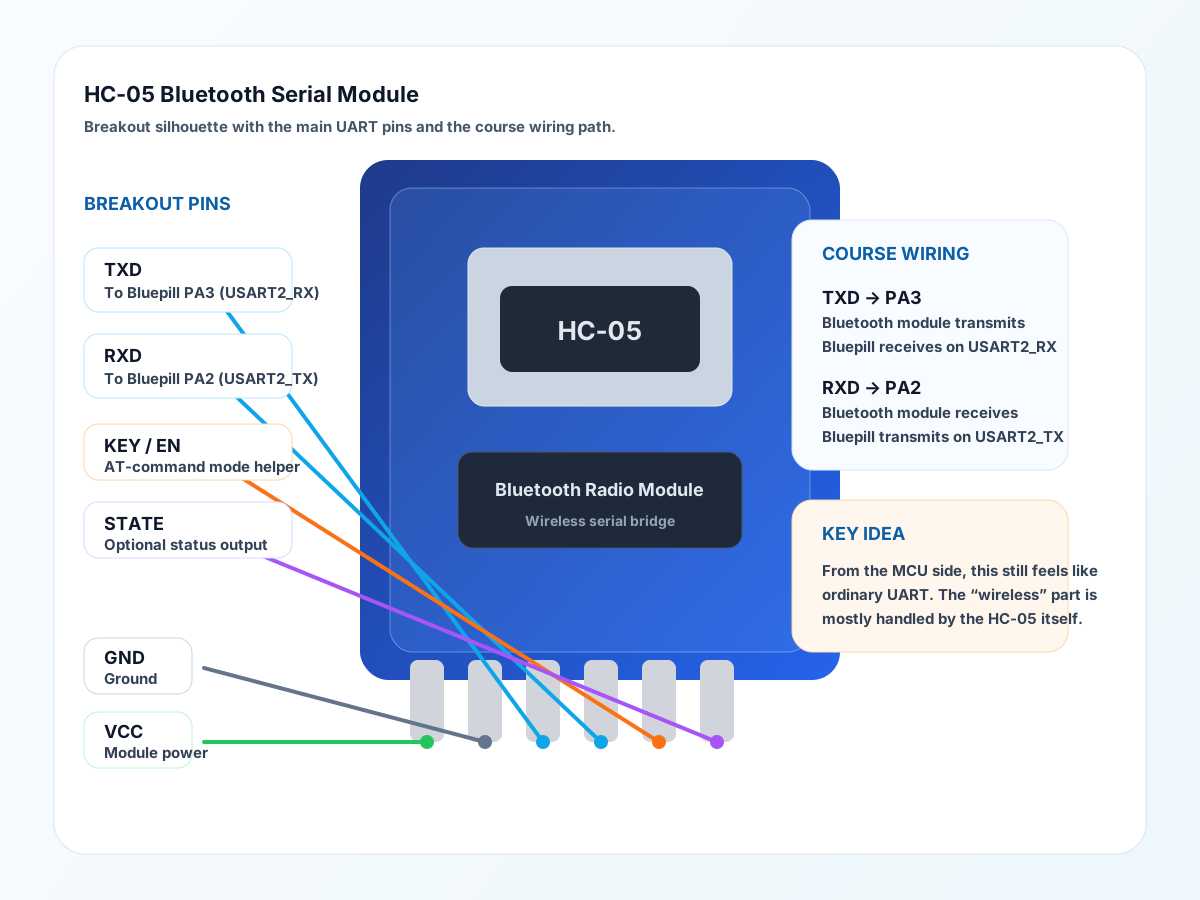
Typical HC-05 breakout pins:
VCC: module powerGND: groundTXD: UART transmit from the moduleRXD: UART receive into the moduleKEYorEN: enters or helps hold AT-command mode on some boardsSTATE: optional status output on some versions
Course Wiring
In this course setup the important pins are:
TXD-> BluepillPA3(USART2_RX)RXD-> BluepillPA2(USART2_TX)VCC-> module supply railGND-> common ground
The key teaching point is that the Bluetooth link still looks like ordinary UART from the MCU side.
Why UART Fits Well Here
UART is simple and common. The HC-05 lets students see that wireless links often still look like ordinary serial data from the MCU’s point of view.
Physical Layer Notes
Between the MCU and the module, it is just electrical UART TX/RX signalling. Over the air, the radio handles the wireless side using the Bluetooth radio system in the 2.4 GHz band.
Why It Matters
This device is a great bridge between embedded systems and mobile apps. It helps students see that the same command protocol can travel over different physical links.
Teaching Focus
- UART basics
- wired vs wireless links
- AT command configuration
- radio frequency bands
- protocol reuse across different transport layers
Datasheet Navigation Tips
Look for:
- voltage levels
- baud rate settings
- command mode behaviour
- pin descriptions such as
KEY - pairing defaults
Interesting Detail
From the firmware’s point of view, Bluetooth often looks surprisingly ordinary. The “magic” is mostly handled by the radio module.
Good Questions To Ask Students
- Why can the same commands work over USB and Bluetooth?
- What part is the protocol and what part is the transport?
- Why is UART still useful in modern systems?
- Why do lots of wireless devices share the same
2.4 GHzband?