
Device Note - WS2812 RGB Matrix
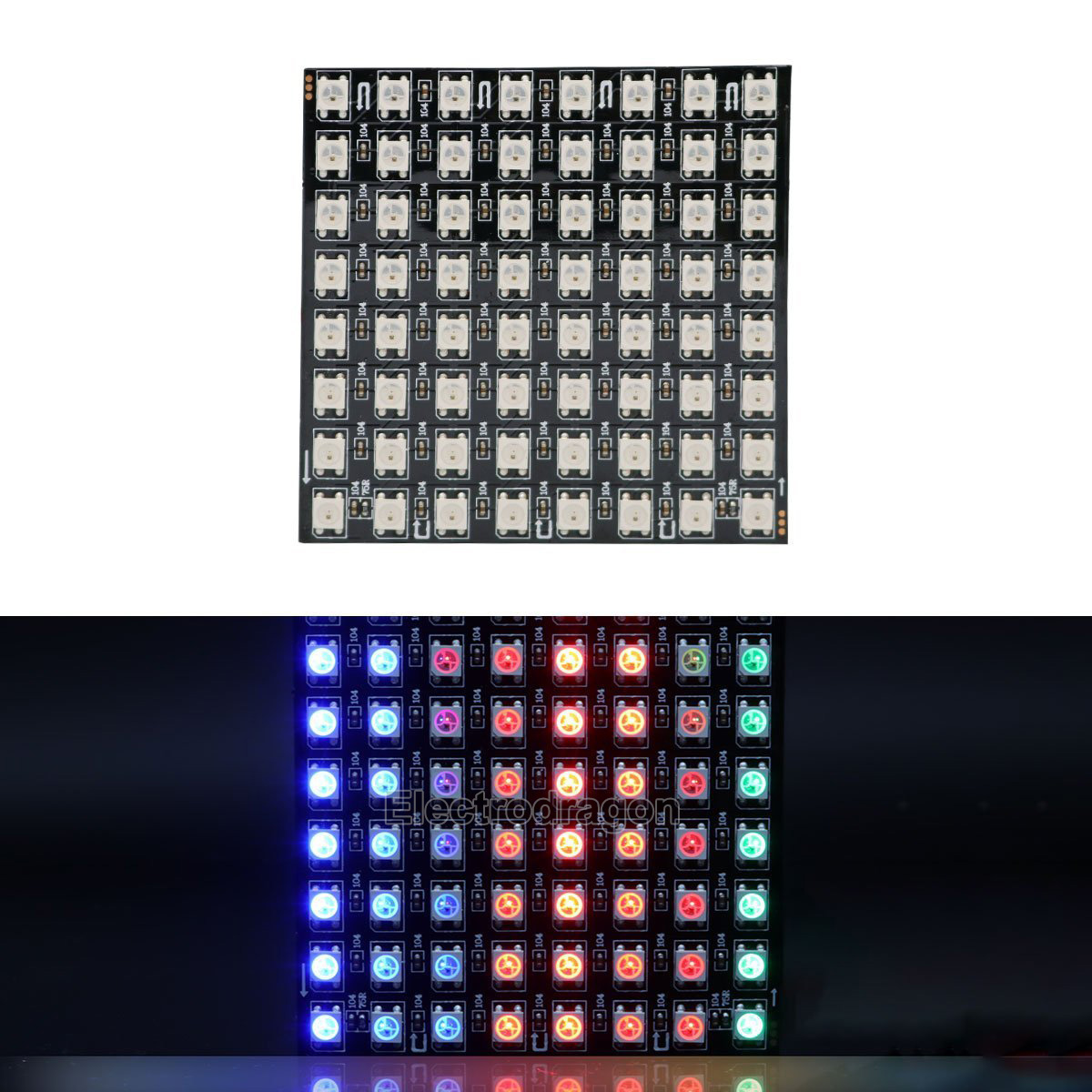
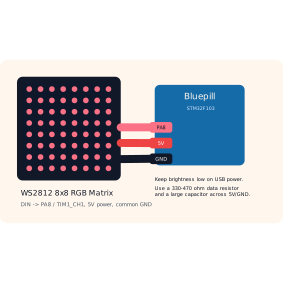
The WS2812 8x8 RGB matrix is a grid of 64 addressable LEDs. Each LED contains red, green, and blue emitters plus a tiny driver chip. The microcontroller sends one timed stream of bits into DIN, and the LEDs pass the rest of the stream along inside the matrix.
Why This Module Is Useful
The MAX7219 matrix is excellent for simple one-colour pixels. The WS2812 matrix adds colour, animation, and a stricter timing problem. That makes it a useful extension module once students have already seen GPIO, SPI-style displays, and PWM.
Course Wiring
5V-> Bluepill5VGND-> BluepillGNDDIN-> BluepillPA8DOUTis not connected unless another WS2812 panel is chained
In this project, PA8 is used as TIM1_CH1. The firmware uses timer PWM plus DMA to generate the accurate pulse train that WS2812 LEDs need.
Timing Idea
WS2812 is not I2C, SPI, or UART. It is a single-wire timed digital protocol:
- every bit is one short timed pulse slot
- a
0bit has a shorter high pulse - a
1bit has a longer high pulse - a long low pause tells the LEDs to latch the new colours
That is why DMA is helpful. The CPU prepares a buffer of timer compare values, then DMA feeds those values to the timer while the waveform is being sent.
Power Notes
An 8x8 matrix can draw a lot of current at full white. In class, keep brightness modest and avoid running all 64 LEDs at full white from a weak USB port.
Recommended build habits:
- use a common ground between the matrix and Bluepill
- add a
330to470 ohmresistor in series with the data line - add a large capacitor across the matrix
5VandGNDinput - keep the first tests dim, for example red, green, or blue values below
40
Firmware Commands
The starter firmware accepts these WS2812 commands:
SET_WS2812_COLOR r g bSET_WS2812_PIXEL index r g bSET_WS2812_ROW row rrggbb,rrggbb,rrggbb,rrggbb,rrggbb,rrggbb,rrggbb,rrggbbCLEAR_WS2812GET_WS2812
Examples:
SET_WS2812_COLOR 20 0 20
SET_WS2812_PIXEL 0 0 30 0
SET_WS2812_ROW 0 FF0000,00FF00,0000FF,000000,000000,000000,000000,000000
CLEAR_WS2812
Teaching Hook
The important idea is that "one wire" does not always mean "simple." The WS2812 uses very few pins, but it asks for precise timing, careful power thinking, and a good reason to use DMA.